Text Manual
JBL Charge 5
Follow these steps to get started with your device.
Device Overview
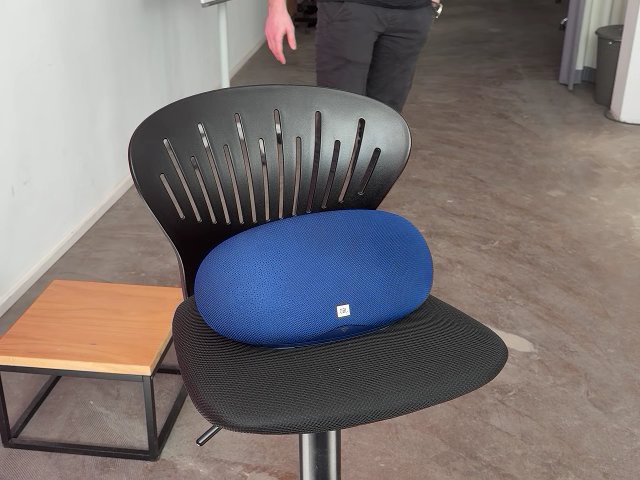
The JBL Charge 5 is a portable Bluetooth speaker known for its powerful sound, rugged design, and built-in power bank functionalities.
Setup Steps
Unbox the Device
- Remove the JBL Charge 5 from its packaging.
- Ensure all accessories are included: charger and manual.
- Remove the JBL Charge 5 from its packaging.
Charge the Speaker
- Plug the included USB cable into the speaker’s charging port.
- Connect the other end to a power source.
- Allow it to charge until the indicator light shows it's fully charged.
- Plug the included USB cable into the speaker’s charging port.
Turn On the Speaker
- Press and hold the power button until you hear a sound.
- Press and hold the power button until you hear a sound.
Connect to Your Device
- Enable Bluetooth on your smartphone or tablet.
- Select 'JBL Charge 5' from the list of available devices to pair.
- Enable Bluetooth on your smartphone or tablet.
Key Features and How to Use Them
- Bluetooth Connectivity: Easily connect to any Bluetooth-enabled device.
- Use the Bluetooth button to enter pairing mode.
- Power Bank Feature: Charge your devices using the USB port while enjoying music.
- Connect your device via USB to the speaker.
- IP67 Waterproof Rating: Ideal for outdoor use and resistant to dust and water.
- Long Battery Life: Enjoy up to 20 hours of playtime on a single charge.
Common Operations
- Adjusting Volume
- Use the '+' and '-' buttons on the speaker to increase or decrease volume.
- Skipping Tracks
- Use the play button to pause or play music.
- Press and hold the '+' button to skip forward; press and hold '-' to skip back.
- Use the play button to pause or play music.
Troubleshooting Tips
- Cannot Connect to Bluetooth
- Ensure the speaker is in pairing mode.
- Disconnect other devices that may be connected.
- Restart the speaker and try again.
- Ensure the speaker is in pairing mode.
- Low Sound Quality
- Check if there are any obstructions between the speaker and the device.
- Ensure the speaker is not in a low battery state.
- Check if there are any obstructions between the speaker and the device.
- Speaker Won't Turn On
- Charge the speaker for at least 30 minutes and try turning it on again.
Sign in to bookmark this device
You'll be redirected to sign in; the manual will be saved after.